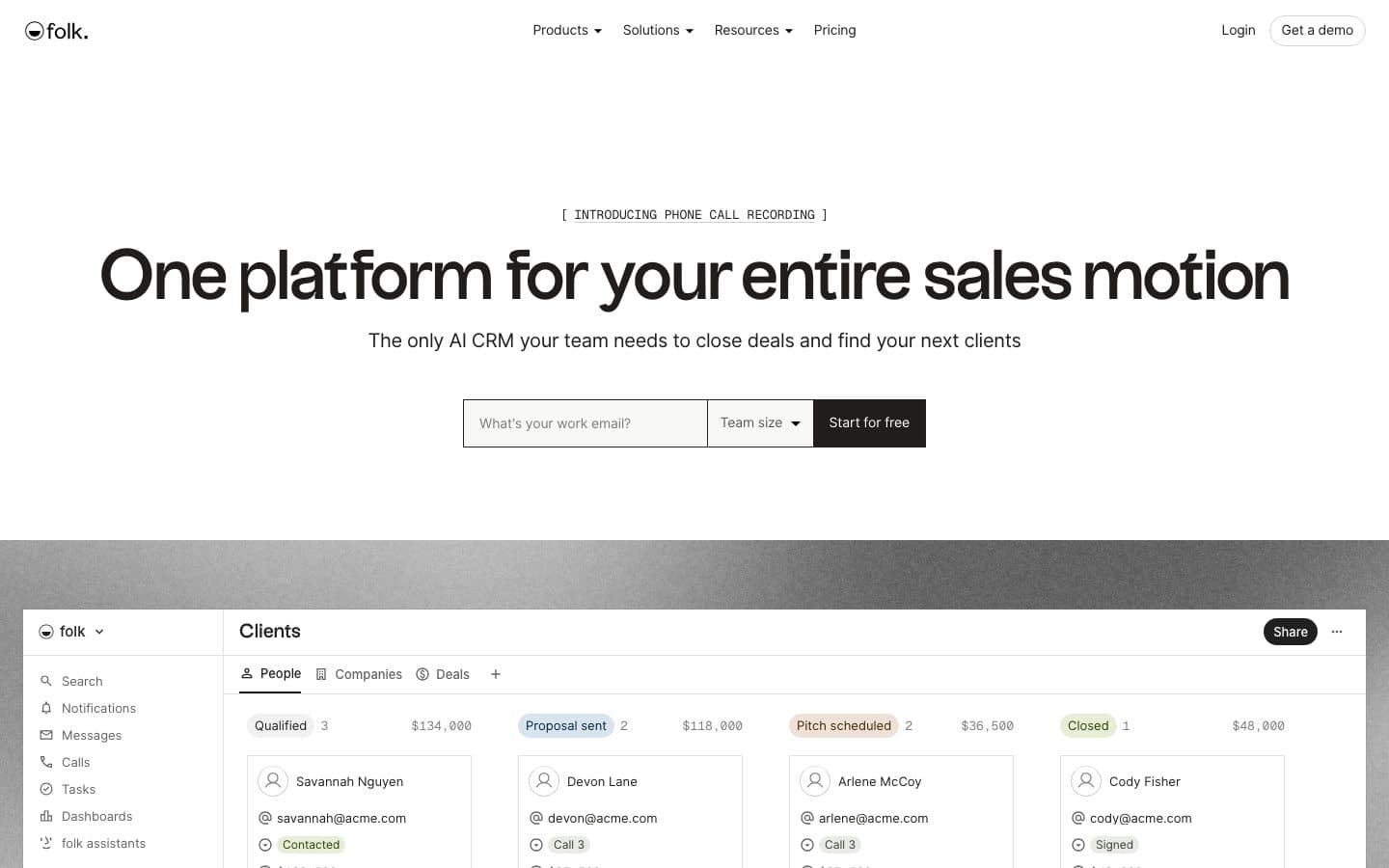
 folk is a contact-centric CRM that pulls in people and companies from your inbox, calendar, WhatsApp and LinkedIn, and adds AI assistants for research, follow-ups and simple workflows.
folk CRM Review 2026: Pros, Cons, Pricing and AI Credits
folk suits relationship-led teams such as agencies, consultants and founders who want contacts from email, calendar, WhatsApp and LinkedIn in one simple shared workspace.
For a B2B sales team, the catch is that deals, sequences, dashboards and integrations all need Premium at $48 per member per month billed annually, and AI and enrichment credits are shared across the workspace.
A five-person team pays $2,880 a year on Premium, or $1,440 on Standard if contact pipelines and one-off campaigns are enough.
Who folk suits
Choose it when
- Agencies and consultancies that sell through relationships and referrals
- Founders doing their own sales and partnerships
- Small teams that live in Gmail or Outlook, LinkedIn and WhatsApp
- Teams that want a CRM running in a day without an admin
Look elsewhere when
- You want a flexible data model with deals on a lower paid tier. Attio See details
- Your team runs a structured deal pipeline with activity targets. Pipedrive See details
- You need marketing, sales and service in one system. HubSpot See details
folk by buyer profile
Each profile's must-haves applied to folk's plans, at that profile's typical team size, billed yearly. Open any row in the Finder to change the inputs.
| Profile | Fit | Plan and cost | Notes |
|---|---|---|---|
| Founder, first CRM3 seats | Good fit | Standard€66/mo | Covers this profile's must-haves. |
| Sales team, 5 to 2010 seats | Fits, with gaps | Premium€430/mo | No sales forecasting, built-in calling on any plan. |
| Revenue leader30 seats | Not a fit | n/a | Sales forecasting is not on any publicly priced plan. |
| Marketer4 seats | Good fit | Standard€88/mo | Web forms and lead capture: from Standard, but not confirmed on the vendor's pages. |
| Agency or consultancy5 seats | Fits, with gaps | Standard€110/mo | No projects after the sale on any plan. |
| AI-native team5 seats | Good fit | Premium€215/mo | Covers this profile's must-haves. |
| Switching CRM8 seats | Good fit | Premium€344/mo | Covers this profile's must-haves. |
folk plans and prices
Per seat per month, as shown on folk's own pricing page on 23 Oct 2026. Dollars and euros are shown only where the page showed them, never converted.
- StandardBilled yearly: $24 · €22Billed monthly: $30 · €27Seats: No cap
- PremiumSmall-team pickBilled yearly: $48 · €43Billed monthly: $60 · €54Seats: No cap
- EnterpriseBilled yearly: $80 · €67Billed monthly: $100 · €83Seats: No cap
| Plan | Billed yearly | Billed monthly | Seats |
|---|---|---|---|
| Standard | $24 · €22 | $30 · €27 | No cap |
| PremiumSmall-team pick | $48 · €43 | $60 · €54 | No cap |
| Enterprise | $80 · €67 | $100 · €83 | No cap |
Team costs at 2, 5, 10 and 20 seats, hidden costs and AI costs are on the folk pricing page.
folk pros for a small team
Contacts build themselves from your channels
Standardfolk syncs Gmail and Outlook email and calendars and WhatsApp, and the folkX Chrome extension captures people from LinkedIn. Duplicates are merged automatically.
Campaigns without a separate email tool
StandardYou can send email campaigns with templates and campaign analytics from the CRM. Standard allows 2,000 messages per member per month and Premium 5,000.
AI assistants included in the plan
StandardThe Follow-up, Recap, Research and Workflow Assistants and AI fields come with every paid plan. There is no separate AI add-on to buy.
MCP access on every plan
Standardfolk runs an MCP server so Claude, ChatGPT or Cursor can search contacts, update records and move deals, with the same permissions as your folk account.
Simple per-member pricing
There is no seat cap or seat minimum on any plan, and adding or removing a member is prorated on your next bill.
folk cons and limits by plan
Sales basics sit on Premium
Credits do not grow with your team
Limited sales tooling
No free plan
Enrichment hit rate
What users report
Ratings and the themes that come up most in public reviews and threads about folk, checked 25 Oct 2026. Each platform is shown on its own; scores from different sites are never averaged.
 G24.5 / 5344 reviews on G2
 Capterra4.5 / 546 reviews on Capterra
 Trustpilot4.0 / 522 reviews on Trustpilot
Trustpilot has only 22 reviews, so a few 2-star complaints about support pull its score below G2 and Capterra.
Simple to set up and learn
The most repeated praise on G2, Capterra and Trustpilot is that folk is clean, simple and quick to learn. Reviewers often compare it with Notion, and people new to CRMs say they got going without training.
Contacts come in from LinkedIn, email and WhatsApp
Reviewers single out the Chrome extension that saves a LinkedIn profile in one click, plus email and WhatsApp sync. Solo founders and small teams say this is what keeps their contact list current without manual entry.
Support and onboarding get mixed reports
Capterra reviewers often describe support as quick and helpful. Several 2026 Trustpilot reviews say the opposite: slow replies and little help with setup. On folk's pricing page, 1:1 onboarding and priority support are listed only on Enterprise.
Email tracking and Outlook gaps
G2's pros-and-cons summary groups about 10 mentions of email problems, including tracking issues and no automatic sent notification in Outlook. This matches folk's help center: you can send from a Gmail account, but not from an Outlook account.
The mobile app arrived late
Older reviews on Capterra and Reddit list the missing mobile app as a limit. folk released its iPhone app in June 2026 and also lists an Android app, so complaints from before mid-2026 are out of date. The app stores show few ratings so far.
How these are picked: the themes that repeat most across review platforms and public threads, positive and negative. Quotes come from the last six months, are exact words, trimmed only where marked with “…”, and link to the original thread. No vendor pays to change them.
Who uses folk
Customers quoted on folk's own website, checked 25 Oct 2026. folk publishes short testimonials rather than case studies. They are chosen by the vendor, so they show who it suits, not independent results.
pinfluence
Agency, founder quoted by folk
Keeping the agency's CRM organized and easy to use.
See it on folk's sitenextra
CEO quoted by folk
Capturing prospects from outreach, events, introductions and referrals in one place.
See it on folk's site
AI in folk
folk calls itself "the AI CRM", but its core is a contact and relationship database with AI assistants added on top. The assistants draft follow-ups, summarize interactions, research companies and run simple email workflows. They are included in the plan with monthly caps, and the help center lists no extra credit packs, so heavier use means upgrading.
- Follow-up AssistantWhat it does: Watches your inbox, calendar and WhatsApp and flags conversations that went quiet, with a drafted follow-up.Plan: StandardCost: Included, no limit shown
- Recap AssistantWhat it does: Summarizes recent emails, meetings, notes and messages for a person, company or deal.Plan: StandardCost: Included, no limit shown
- Research AssistantWhat it does: Fills in company details and writes research notes, using People Data Labs and Perplexity.Plan: StandardCost: 200 actions a month per workspace on Standard and Premium
- Workflow AssistantWhat it does: Sends automated follow-up emails when records are created or fields change.Plan: StandardCost: 1,500 credits a month per workspace on Standard, 10,000 on Premium
- AI fields (magic fields)What it does: Generates field values with AI across your records.Plan: StandardCost: 2,000 generations a month on Standard, 5,000 on Premium
- MCP serverWhat it does: Lets outside AI tools read and update your folk workspace.Plan: StandardCost: Included
| Feature | What it does | Plan | Cost |
|---|---|---|---|
| Follow-up Assistant | Watches your inbox, calendar and WhatsApp and flags conversations that went quiet, with a drafted follow-up. | Standard | Included, no limit shown |
| Recap Assistant | Summarizes recent emails, meetings, notes and messages for a person, company or deal. | Standard | Included, no limit shown |
| Research Assistant | Fills in company details and writes research notes, using People Data Labs and Perplexity. | Standard | 200 actions a month per workspace on Standard and Premium |
| Workflow Assistant | Sends automated follow-up emails when records are created or fields change. | Standard | 1,500 credits a month per workspace on Standard, 10,000 on Premium |
| AI fields (magic fields) | Generates field values with AI across your records. | Standard | 2,000 generations a month on Standard, 5,000 on Premium |
| MCP server | Lets outside AI tools read and update your folk workspace. | Standard | Included |
For AI-native teams: MCP and API
You can connect Claude, Claude Code, ChatGPT, Codex, Cursor and other AI tools to folk through its official MCP server, so they can find and update people, companies, deals, notes and tasks in plain language. The server is on every plan, but your own scripts are a different story: the REST API, Zapier and Make need Premium. There is no full workspace export, so the API is the only way to pull everything out at once.
Connect your AI tools to folk
 ClaudeIn folk docs
In Claude, open Customize, then Connectors, add a custom connector with the server URL, then sign in to folk. On the Free Claude plan you can add only one custom connector.
Setup guide Claude CodeIn folk docs
Run
Setup guideclaude mcp add --transport http folk https://mcp.folk.app/mcp, then sign in through/mcpin Claude Code. ChatGPTIn folk docs
Add folk as a custom MCP server in ChatGPT on the web with the server URL, then sign in to folk. Whether you can add one depends on your ChatGPT plan and workspace settings.
Setup guide CodexIn folk docs
Add
Setup guide[mcp_servers.folk]withurl = "https://mcp.folk.app/mcp"to~/.codex/config.toml, then runcodex mcp login folk. CursorIn folk docs
In Cursor's MCP settings, add a global server with
Setup guide"folk": { "url": "https://mcp.folk.app/mcp" }undermcpServers, then sign in to folk. Gemini
Use Gemini CLI: run
Setup guidegemini mcp add --transport http folk https://mcp.folk.app/mcp, then/mcp auth folkto sign in. folk does not document Gemini.
Server URL: https://mcp.folk.app/mcp
MCP server
Official- Plans
- All plans (Standard and up)
- Access
- Read and write. It can search and read people, companies, custom objects such as deals, notes, tasks, groups, interactions (including email and transcripts) and enrichment results. It can create and update people, companies and objects in batches of up to 100, create and update notes, tasks and logged interactions, manage groups and custom fields, and start enrichment. It cannot delete records.
- Setup
- Hosted remote server at https://mcp.folk.app/mcp over streamable HTTP. You sign in through OAuth the first time a tool calls folk; no API key or local server is documented. folk documents setup for Claude Desktop, Claude Code, ChatGPT, Cursor, VS Code (GitHub Copilot), Windsurf, Codex and Perplexity. Your AI tool gets the same access as your folk account.
- Limits
- Batch writes are capped at 100 records per call. Enrichment through MCP uses your workspace enrichment credits. Rate limits for MCP are not documented.
API and webhooks
- Plans
- Premium and Enterprise. You create API keys in workspace settings.
- Limits
- 600 requests per minute on any endpoint, counted per user, so several API keys for one user share the limit. Over the limit you get HTTP 429 with a Retry-After header.
- Webhooks
- Yes, created in the workspace API settings or through the API. Events cover people, companies, objects, notes and reminders being created, updated or deleted, plus finished enrichments. The plan is not stated, but they sit in the API settings, and the REST API needs Premium.
- Automation
- Native automation is the Workflow Assistant, which sends follow-up emails when records are created or fields change (1,500 credits a month on Standard, 10,000 on Premium). Zapier and Make apps need Premium. n8n has no folk node; folk's own guide connects it through the REST API with an API key, so it also needs Premium.
- Export
- Partly. Every plan can export a view as CSV, which gives a zip with contacts and notes. folk does not allow a whole-workspace export, so you export group by group, and interactions, tasks, contact custom fields and strongest connection are left out. A complete copy needs the REST API on Premium.
What these terms mean
- Credits
- A usage allowance for AI. Each AI action (a summary, an agent run, an enriched record) uses some. Plans include a monthly amount.
- MCP
- Model Context Protocol. It lets AI assistants such as Claude or ChatGPT read and update your CRM directly, with your permission.
- API
- A way for your own scripts and tools to read and write CRM data. AI agents you build usually rely on it.
- Webhooks
- The CRM notifies your tools the moment something changes, such as a new deal, so an agent can react.
Setup and switching
- Sign up and connect your email account; folk imports contacts from Gmail or Outlook, and from phone contacts.
- The 14-day trial needs no credit card.
- Sequences and campaigns from your own domain need an authenticated custom sender (DNS records).
- Premium and Enterprise include folk's migration service; Enterprise adds 1:1 onboarding and a dedicated account manager.
- folk only accepts credit cards for payment.
Integrations and API
- Gmail and Outlook email, calendar and contact sync. Both sync one way into folk: folk reads your mailbox and does not write changes back to Google or Microsoft.
- Sending from your own mailbox works with Gmail only (up to 500 emails per campaign). Outlook users send campaigns and sequences through an authenticated custom domain (up to 5,000 per campaign) and connect Outlook sync to track replies.
- WhatsApp sync
- LinkedIn via the folkX Chrome extension
- Zapier and Make (Premium)
- REST API (Premium)
- MCP server for Claude, ChatGPT and Cursor (all plans)
- Mobile app "Contacts by folk CRM" for iPhone (iOS 16.4 or later) and Android, included on every plan: contact notes and history, business card scanning, voice notes and recorded calls
FAQ
Is folk good for B2B sales teams?
It can work for a small team, but plan on Premium. Deals, sequences, dashboards and integrations all need Premium, and folk lists no built-in calling or forecasting.
Who is folk best for?
Relationship-led teams: agencies, consultants, founders and partnership teams who want contacts from email, WhatsApp and LinkedIn kept in one shared place.
Is folk an AI-native CRM?
folk markets itself as an AI CRM, but its AI comes as assistants and AI fields on top of a contact database. They are included in the plan with monthly caps.
Is folk CRM good?
For relationship-led teams, review sites rate it well: 4.5 out of 5 on G2 (344 reviews) and Capterra (46 reviews), and 4.0 on Trustpilot (22 reviews), checked 25 October 2026. Reviewers praise how simple it is. The common complaints are support response times and limited email tracking. For a B2B sales team, plan on Premium.
How much does folk CRM cost per user per month?
As of 23 October 2026, Standard costs $24 per member per month billed annually or $30 billed monthly, Premium $48 or $60, and Enterprise starts from $80 or $100. See the folk pricing page for euro prices and team costs.
Why do some reviews show folk at $20 a month?
Those prices are out of date. folk raised Standard from $20 to $24 and Premium from $40 to $48 per member per month (billed annually) in March 2026, and the top plan once called Custom is now Enterprise. Older reviews, including folk's own review article updated in June 2026, still show the old prices and plan name.
Does folk have a mobile app?
Yes. "Contacts by folk CRM" is on the App Store (iPhone, iOS 16.4 or later, first released 18 June 2026) and Google Play, and folk's pricing page includes it on every plan. You can see a contact's notes, emails and meetings, add contacts from your phone or by scanning a business card, dictate notes, and place recorded calls. Reviews from before mid-2026 that say folk has no mobile app are out of date.
Does folk sync with Outlook?
Yes. folk imports Outlook contacts, emails and calendar events in real time, and the first sync pulls in the last 3 years. The sync is read-only, as it is for Gmail: folk never changes or deletes anything in your Microsoft account. The difference is sending: folk can send campaigns from a Gmail account but not from Outlook, so Outlook users send through an authenticated custom domain.
Can folk send automated email sequences?
Yes, on Premium. Sequences also need a custom sender, meaning a domain you authenticate with DNS records. Standard can send one-off campaigns, including from a Gmail account.
How many enrichment credits does folk include?
500 a month on Standard and 1,000 on Premium, shared by the whole workspace. Finding an email uses 1 credit and a phone number 4. folk's help center says enrichment finds data around 50 to 60% of the time.
Should you pick folk, Attio, Pipedrive or HubSpot?
Pick folk for simple, relationship-led selling from email, LinkedIn and WhatsApp. Pick Attio if you want a flexible data model with deals on a lower paid tier. Pick Pipedrive for a structured deal pipeline with activity targets. Pick HubSpot if you need marketing, sales and service in one system.
Does folk have a free plan?
No. folk offers a 14-day trial with no card, then blocks the account until you upgrade.
Sources
This review is based on folk's own pages and documentation and the public sources below.
- folk pricing page (plan names and prices re-checked) · accessed 25 Oct 2026
- folk homepage · accessed 23 Oct 2026
- folk help: AI fields (magic fields) · accessed 23 Oct 2026
- folk help: Research Assistant · accessed 23 Oct 2026
- folk help: Workflow Assistant · accessed 23 Oct 2026
- folk help: Follow-up Assistant · accessed 23 Oct 2026
- folk help: Recap Assistant · accessed 23 Oct 2026
- folk help: Data enrichment · accessed 23 Oct 2026
- folk help: Custom objects and deals · accessed 23 Oct 2026
- folk help: Pipeline views · accessed 23 Oct 2026
- folk help: Send email sequences · accessed 23 Oct 2026
- folk help: Send messages (Gmail sender and custom sender) · accessed 25 Oct 2026
- folk help: Share interactions with your team · accessed 23 Oct 2026
- folk help: Connect folk to AI tools with MCP · accessed 23 Oct 2026
- folk help: Email sync · accessed 23 Oct 2026
- folk help: Special discounts · accessed 23 Oct 2026
- PricingSaaS: folk pricing change, March 2026 · accessed 23 Oct 2026
- folk developer docs: MCP supported tools · accessed 24 Oct 2026
- folk developer docs: API overview · accessed 24 Oct 2026
- folk developer docs: Authentication · accessed 24 Oct 2026
- folk developer docs: Rate limits · accessed 24 Oct 2026
- folk developer docs: About webhooks · accessed 24 Oct 2026
- folk developer docs: Webhook events and payloads · accessed 24 Oct 2026
- folk developer docs: Create webhooks · accessed 24 Oct 2026
- folk developer docs: Typeform integration using n8n · accessed 24 Oct 2026
- folk help: Export data · accessed 24 Oct 2026
- folk developer docs: Connecting to folk MCP · accessed 25 Oct 2026
- G2: folk reviews (rating and count read from Google result for g2.com) · accessed 25 Oct 2026
- G2: folk pros and cons · accessed 25 Oct 2026
- Capterra: folk reviews · accessed 25 Oct 2026
- Trustpilot: folk.app reviews · accessed 25 Oct 2026
- folk mobile app page · accessed 25 Oct 2026
- folk changelog: Contacts by folk mobile app launch · accessed 25 Oct 2026
- App Store: Contacts by folk CRM · accessed 25 Oct 2026
- Google Play: Contacts by folk CRM · accessed 25 Oct 2026
- folk help: Import contacts from Outlook · accessed 25 Oct 2026
- folk help: Import contacts from Google · accessed 25 Oct 2026
- folk help: FAQ sources (integrations) · accessed 25 Oct 2026
- folk article: folk CRM: The Full Review 2026 (shows pre-March 2026 prices) · accessed 25 Oct 2026
- folk contact sales page (customer quotes) · accessed 25 Oct 2026
- Claude Help Center: Get started with custom connectors using remote MCP · accessed 25 Oct 2026
- OpenAI docs: Add a custom MCP server to ChatGPT · accessed 25 Oct 2026
- Gemini CLI docs: MCP servers with the Gemini CLI · accessed 25 Oct 2026
Compare with other CRMs
All CRMs in the price index AttioPlus from $35 / seat / mo, yearlyAttio reviewAttio pricing
 HubSpotStarter from $7 / seat / mo, yearlyHubSpot reviewHubSpot pricing
 PipedriveGrowth from $39 / seat / mo, yearlyPipedrive reviewPipedrive pricing
Plain vendor link. CRM Sorted labels affiliate links where they appear, and they never change a recommendation.